API Booking Endpoints Not Working – Request for Postman Example & Support

Hi SimpleBook Support Team,

I hope you’re doing well.

The methods you previously shared with me are unfortunately not working at all. None of the API routes or booking endpoints seem to be responding correctly from my side.

I would really appreciate it if you could please share the exact API routes and endpoints for fetching booking details via email in SimpleBook, and also guide me on how you are testing them in Postman. If possible, please provide a screenshot or a short explanation of how you are sending the request in Postman (including method type, headers, body, etc.) so that I can at least retrieve one booking successfully and confirm whether the issue is technical on my side or from your end.

I have attached a video showing how I am making the request from Postman and the error I am receiving. Kindly review it and test the same from your end.

I have already shared the booking details with your team earlier. Please check using those details and let me know the correct working approach.

Looking forward to your prompt support.

Thank you.

hello pls reply please

hi, please provide your RAW http request and response you got as a text so we can see what exactly is not working

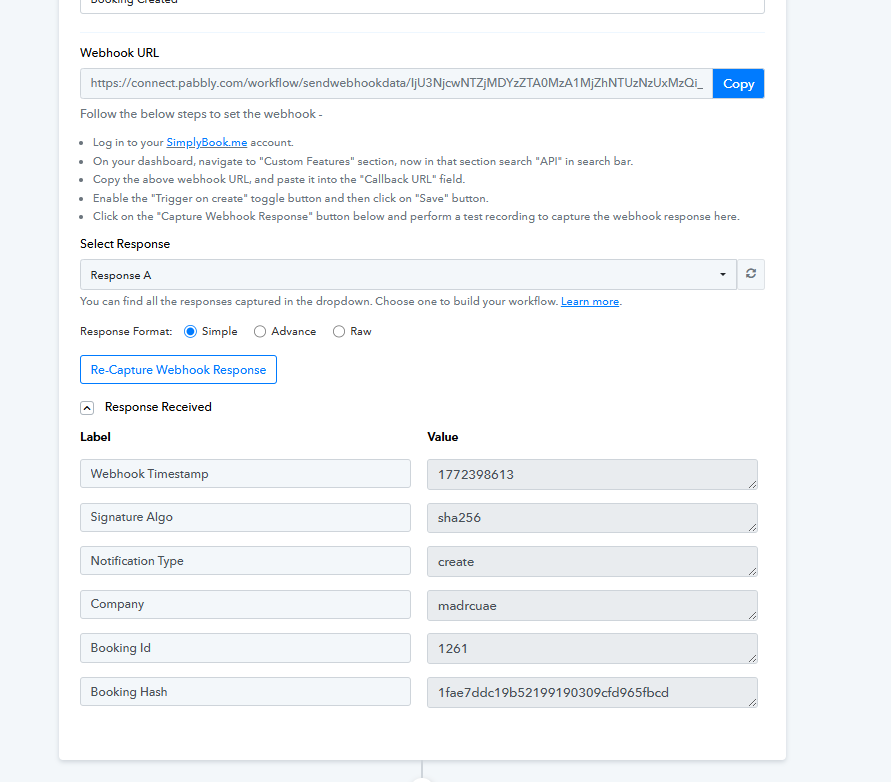
I’ m getting booking id using the create booking hook in pabbly (automation tool )

here is the response of that

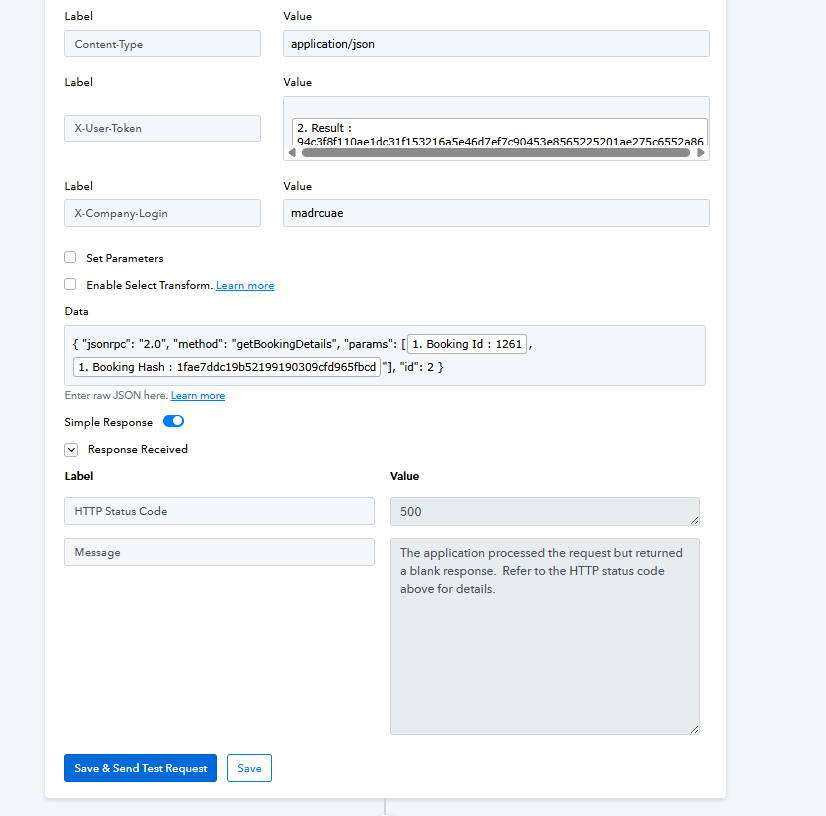
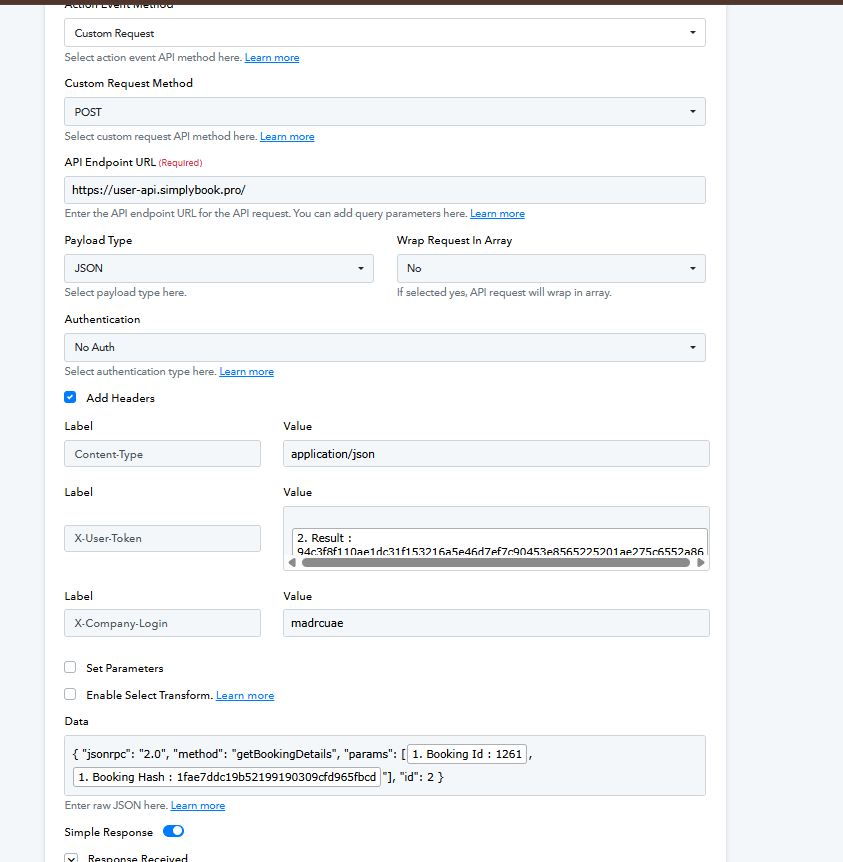
Then im sending this response to get the booking details using this api link with headers and parameters

Api link :

https://user-api.simplybook.pro/

Headers :

X-Company-Login : madrcuae
X-User-Token : 94c3f8f110ae1dc31f153216a5e46d7ef7c90453e8565225201ae275c6552a86
Content-Type: application/json

Params:
{
“jsonrpc”: “2.0”, “method”: “getBookingDetails”,

“params”:
[1261, “1fae7ddc19b52199190309cfd965fbcd"],
“id”: 2
}

here is ths ss attached

Then im getting this error
http status code : 500
with messge : The application processed the request but returned a blank response. Refer to the HTTP status code above for details.

here is the ss attached

please provide me correct syntax api or headers of this with guidance how can i do that

hi,

Wrong Header for the Method: The method getBookingDetails belongs to the Public API, but the user is passing X-User-Token in the headers. X-User-Token is strictly for the Admin API. The Public API expects the header to be named X-Token

Option 1: Use the Admin API

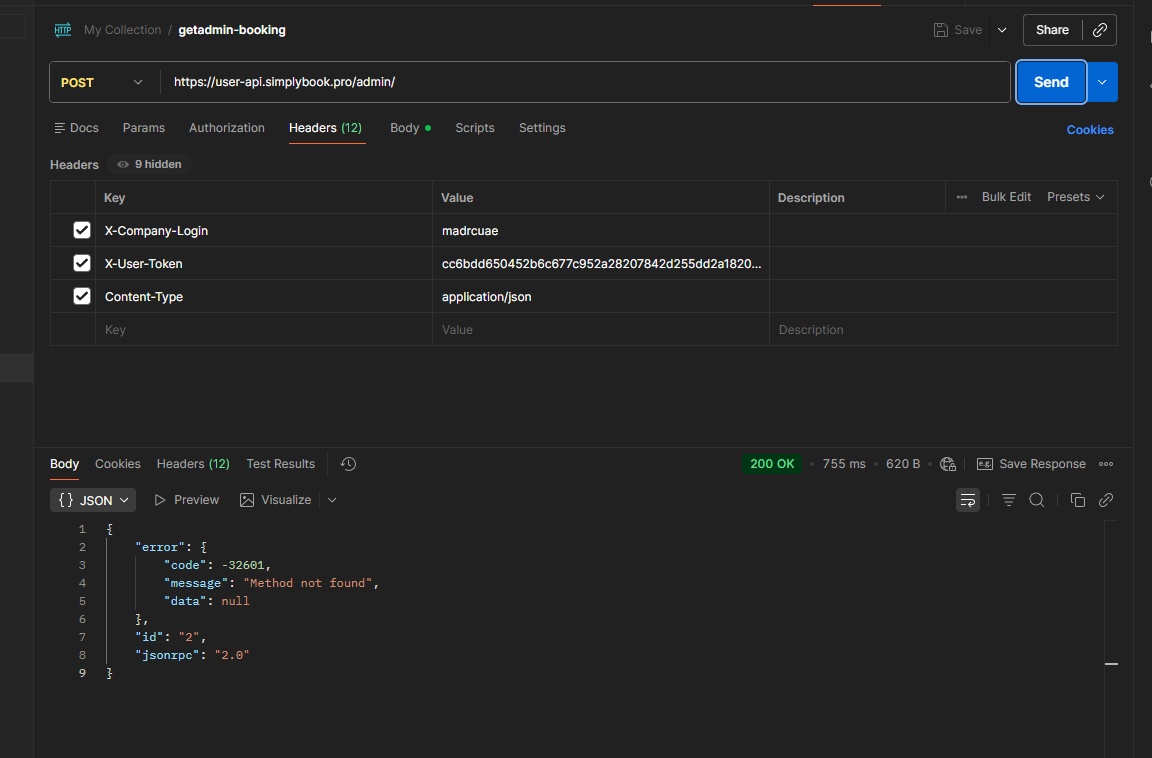
Since they are already generating an X-User-Token (Admin Token), they should use the Admin endpoint and the Admin method for fetching a booking.

  • URL: https://user-api.simplybook.pro/admin/ (Notice the /admin/ at the end)

  • Headers: * X-Company-Login: madrcuae

    • X-User-Token: [Their_Token]

    • Content-Type: application/json

  • Body: The Admin API’s method is getBooking (not getBookingDetails) and it only requires the Booking ID. It does not require the booking hash.

JSON

{
  "jsonrpc": "2.0",
  "method": "getBooking",
  "params": [1261],
  "id": 2
}

Option 2: Fix the Public API Request

If they specifically want to use the public getBookingDetails method on the root endpoint, they need to fix their authentication token.

  • URL: https://user-api.simplybook.pro/

  • Headers: * X-Company-Login: madrcuae

    • X-Token: [Their_Public_Token] (They must change X-User-Token to X-Token, and they must ensure this token was generated using the getToken method, not getUserToken)

    • Content-Type: application/json

  • Body:

JSON

{
  "jsonrpc": "2.0",
  "method": "getBookingDetails",
  "params": [1261, "1fae7ddc19b52199190309cfd965fbcd"],
  "id": 2
}

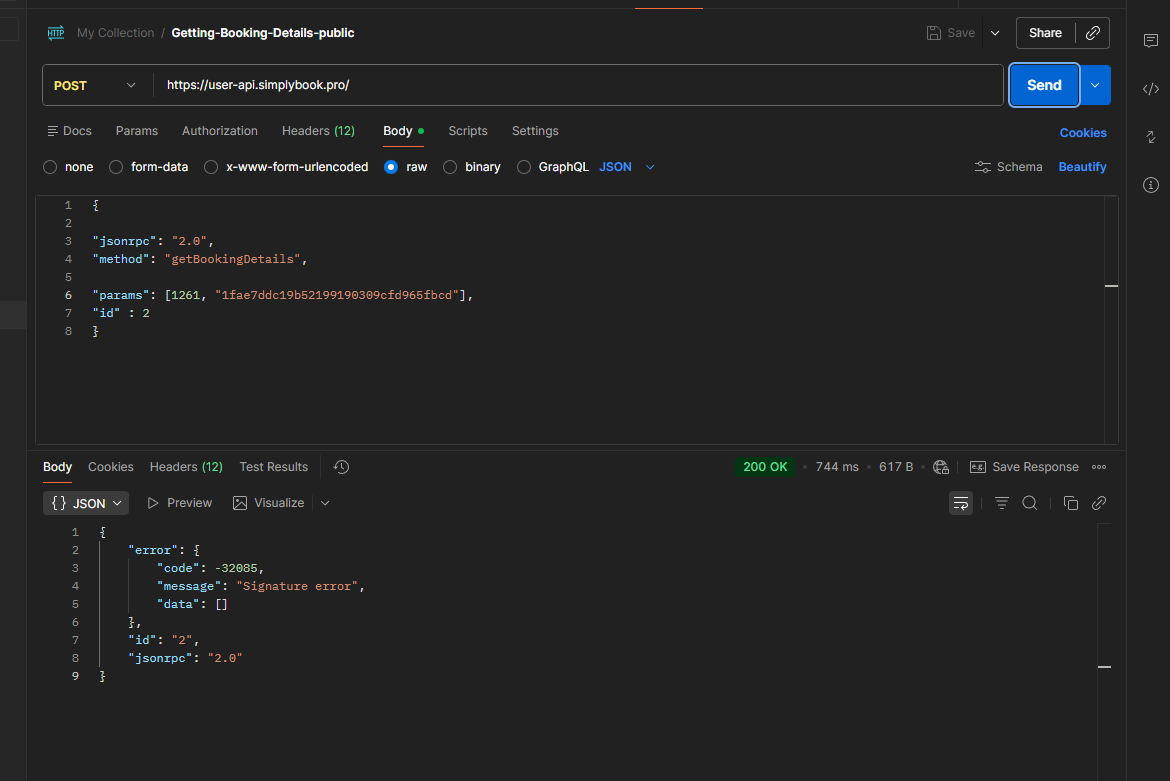
im sending a request using this api

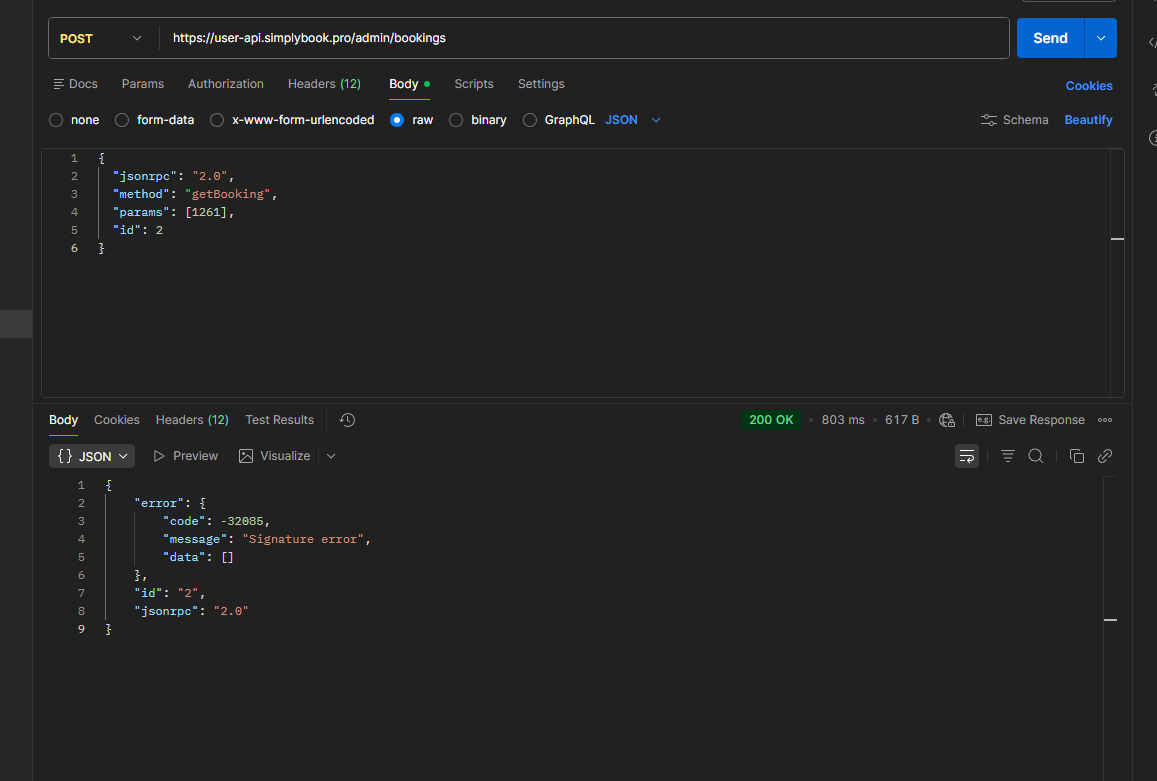
https://user-api.simplybook.pro/admin/bookings

with these json

{

"jsonrpc": "2.0",
"method": "getBookingDetails",

"params": [1261, "1fae7ddc19b52199190309cfd965fbcd0c7a4b1112f78d21538236d2ef4a28253f7638a7da0f06932bdecdcbc2ca0169"],
"id" : 2
}

with proper headers according to documentation but still im getting the

{
"error": {
"code": -32085,
"message": "Signature error",
"data": []
},
"id": "2",
"jsonrpc": "2.0"
}

With proper headers

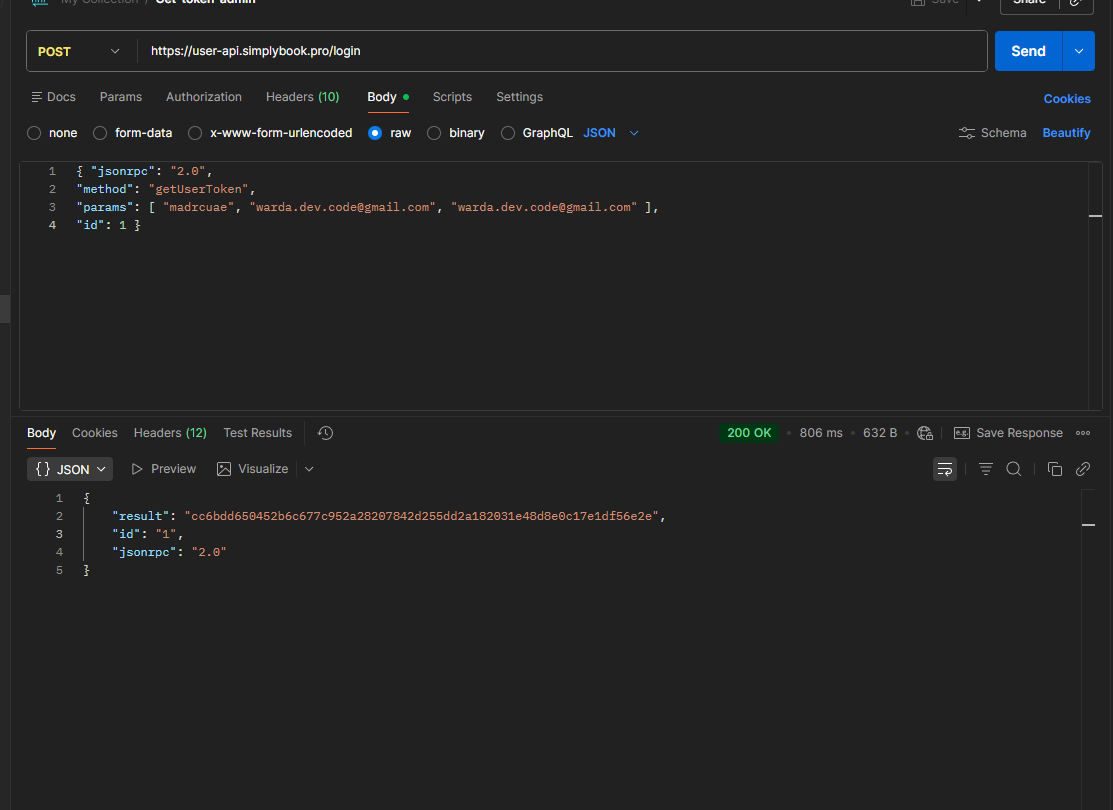
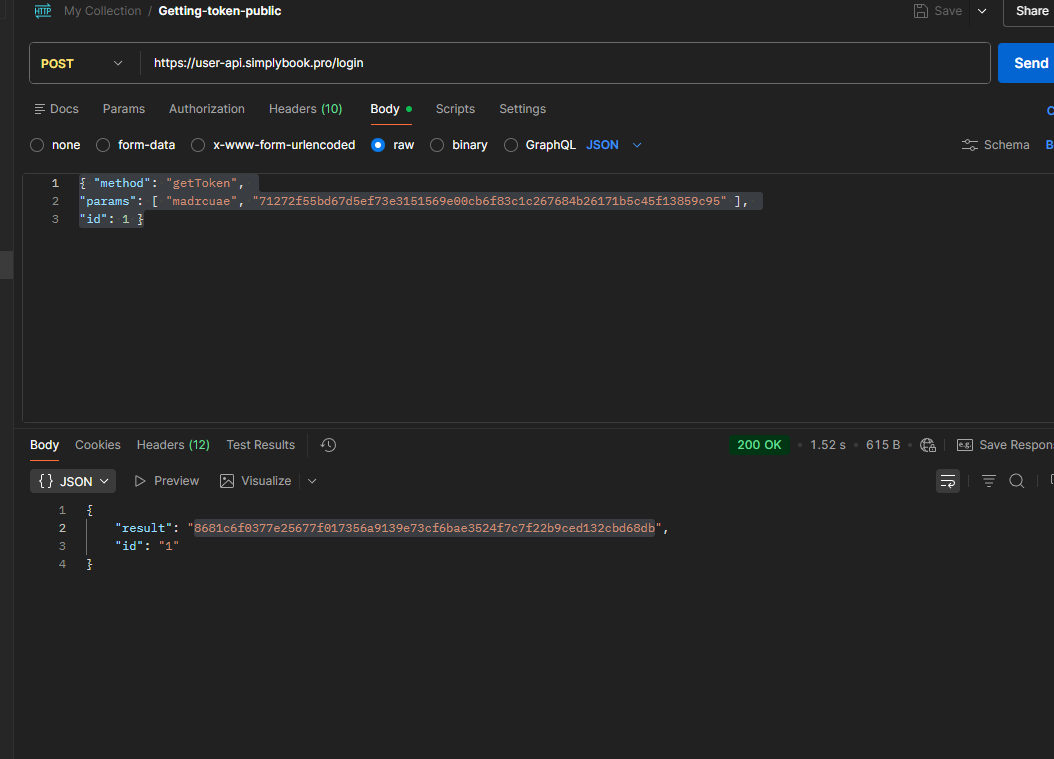
generating a token from here

Then sending token to this

I also tried using the public route

https://user-api.simplybook.pro/

{ 
    
"jsonrpc": "2.0", 
"method": "getBookingDetails", 

"params": [1261, "1fae7ddc19b52199190309cfd965fbcd0c7a4b1112f78d21538236d2ef4a28253f7638a7da0f06932bdecdcbc2ca0169"], 
"id" : 2
}

getting this error

{

    "error": {

        "code": -32085,

        "message": "Signature error",

        "data": []

    },

    "id": "2",

    "jsonrpc": "2.0"

}

both are not working check please

hi, please make sure signature =(md5($cartId . $cartHash . $secretKey)) as per API documentation | SimplyBook.me Online Scheduling

Hey please let me know the exact problem im sending all correct from my end please

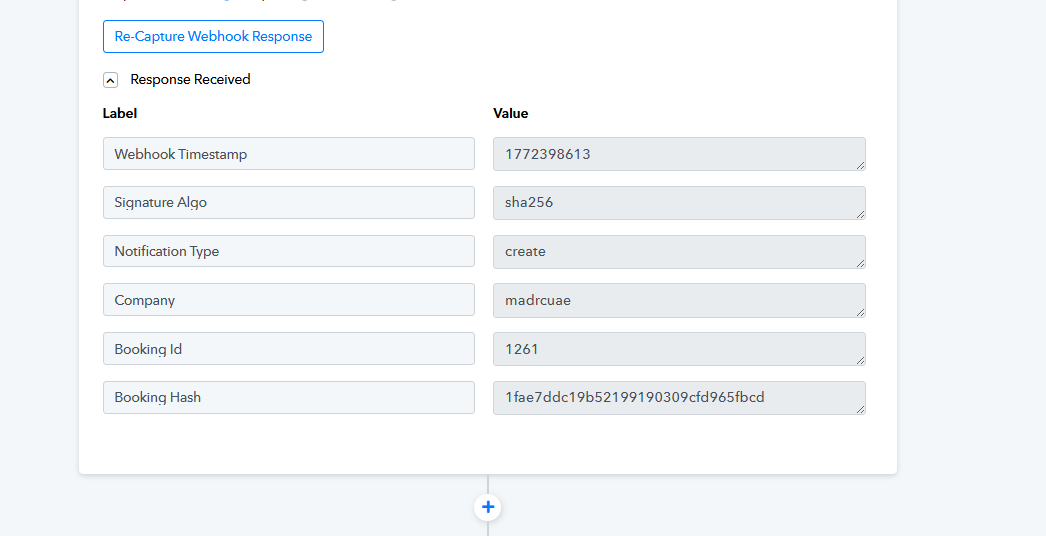
Im getting these details from the response then im sending this hash and bokking id to get booking details its saying alg (sha256)

but you mentioned md5 how can i get that please let me know please

Unfortunately we are not able to check your code and see if md5 was calculated correctly. Please do a call according to documentation we provide on our website API documentation | SimplyBook.me Online Scheduling

I know you have documentation but why you send every time this documentation even these are not user friendly . Please tell me the booking route like when user create the booking what is the api webhook to get the booking when new booking created . Im using iside pabbly node i dont know end poit they used but im getting ALgo sha256 instead of the md5
We are not familiar with pabbly node - you can try to contact their support.

Im asking to the endpoints of getting the booking information pls

hi, you can use this method API documentation | SimplyBook.me Online Scheduling within admin API to get all booking details without any md5 hash. Please note admin API require different auth:

User/Admin API (Company administration service) authorization

Authorization from client side code

Getting the token-key.


    var loginClient = new JSONRpcClient({
        'url': {$api_url} + '/login',
        'onerror': function (error) {},
    });
    var token = loginClient.getUserToken( YOUR_COMPANY_LOGIN,  YOUR_USER_LOGIN,  YOUR_USER_PASSWORD);
    

Initialization JSON-RPC-client.


    this.client = new JSONRpcClient({
        'url': 'https://user-api.simplybook.me' + '/admin/',
        'headers': {
            'X-Company-Login': YOUR_COMPANY_LOGIN,
            'X-User-Token': token
        },
        'onerror': function (error) {}
    });
    

Authorization from server side code

Getting the token-key.


    $loginClient = new JsonRpcClient('https://user-api.simplybook.me' . '/login/');
    $token = $loginClient->getUserToken({YOUR_COMPANY_LOGIN, YOUR_USER_LOGIN, YOUR_USER_PASSWORD);
    

Initialization JSON-RPC-client.


    $client = new JsonRpcClient('https://user-api.simplybook.me' . '/admin/', array(
        'headers' => array(
            'X-Company-Login: ' . YOUR_COMPANY_LOGIN,
            'X-User-Token: ' . $token
        )
    ));